Inside the Tunebansia System
A plain-language explanation of how Tunebansia approaches information organisation, what the interface makes available, and what users should understand before seeking access.
What Tunebansia is designed to do
At its core, Tunebansia is a service for bringing order to information that would otherwise exist in an unstructured state. The platform accepts incoming data, applies a classification scheme to it, and presents the results through a consistent review interface.
The system is not a storage product in the conventional sense — it is an organisational layer. Users interact with classified, labelled information rather than raw files. The interface is designed to reduce the effort required to find, compare, and act on relevant records.
Tunebansia is operated by Tunebansia Pty Ltd, a company based in South Australia. The platform is intended for users who need a structured approach to reviewing and navigating their information, and who prefer an interface that has already done the categorisation work for them.
What the system presents to users
The classification view
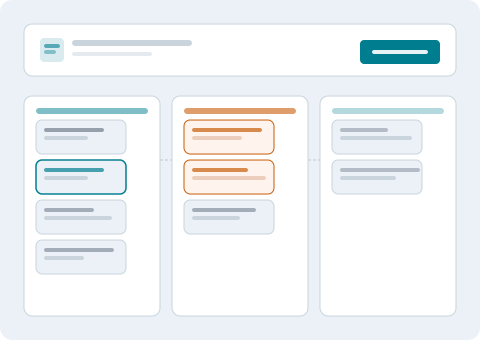
The primary interface presents information sorted by category and sub-category. Users see a structured list of items, each carrying a label that indicates its type, its review status, and any relevant grouping. The aim is to eliminate visual noise and let users focus on the records that matter to them at a given moment.
Categories are defined in advance and applied consistently. When new information enters the system, it is evaluated against the existing taxonomy and placed accordingly. Users do not need to sort or tag items themselves.
The detail panel
Selecting an item opens a detail view that displays the full record alongside its classification metadata. Users can see when an item was classified, which category it belongs to, and any notes attached during the organisation process.
The detail panel is read-oriented. It presents information for review rather than prompting users to take immediate action. Where an action is available, it is presented as a clearly labelled option rather than embedded in the data display.
What to understand before requesting access
The information below describes how the platform is intended to operate based on its general design. It does not represent a verified audit of currently deployed functionality. Users should assess whether the platform suits their specific situation before submitting an access request.
What the platform does well
Tunebansia is designed for situations where information exists in volume, needs to be consistently categorised, and must be reviewed without requiring users to manually sort through raw data. It works best when information follows a recognisable structure and when users have a clear idea of the categories they need.
The interface is well-suited to regular review workflows: checking newly classified items, comparing items across categories, and retrieving specific records by type.
What the platform is not
Tunebansia is an informational and organisational service. It does not provide professional advice of any kind. The classification and review functions are tools for information management, not for reaching conclusions that require expert judgement.
The platform also does not provide real-time data feeds, live integrations with third-party systems, or any form of automated decision-making that has independent legal or operational consequences. Users make their own decisions based on the organised information the platform presents.
Visible information versus verified facts
The platform presents information as organised by its classification layer. It does not independently verify the accuracy or completeness of that information. Users are responsible for confirming that the source data they work with is correct before relying on it for any purpose.
Frequently asked about the platform
Is Tunebansia available to all users in Australia?
Tunebansia is operated from South Australia and is generally available to users across Australia. Access is subject to review by the support team. Submitting an enquiry is the first step; the team will advise on suitability based on the information you provide.
How is incoming information classified?
The classification layer applies a predefined set of category rules to incoming information. Categories are based on content type, source, and contextual signals. The taxonomy is maintained by the Tunebansia team and updated when necessary to reflect changes in the kinds of information users are working with.
Can users customise how categories are defined?
Category customisation is discussed during the access setup process. The degree of flexibility depends on the specific use case. Users with complex or unusual classification needs are encouraged to describe those requirements in their initial enquiry so the team can assess what is possible.
What happens if an item is assigned to the wrong category?
The interface includes a mechanism for flagging items that appear to have been incorrectly classified. Flagged items are reviewed and reclassified where appropriate. The team monitors classification accuracy and refines the underlying rules over time.
Does submitting an enquiry automatically lead to access?
Submitting an enquiry does not automatically result in access. The support team reviews each request and determines whether the platform is an appropriate fit. Factors considered include the type of information involved and the intended use of the review interface. The team will communicate their decision after completing the review.
Want to see the full feature set?
The capabilities page describes each part of the system in detail — from the classification layer to the review tools.