Tunebansia's Information Review Tools
A detailed description of each capability within the platform — from how the classification layer assigns categories to how users navigate and retrieve organised records.
Automatic information classification
When information enters the Tunebansia system, it does not remain in an unsorted queue. The classification layer examines the content and assigns it to one or more predefined categories based on its type, context, and structural characteristics.
This process happens without requiring manual input from users. The resulting categorised records are made available through the review interface with their classification labels already applied. Users can rely on these labels when filtering, searching, and comparing records.
- Category rules maintained by the Tunebansia team
- Multi-level taxonomy supporting main categories and sub-types
- Flagging mechanism for items that do not match cleanly
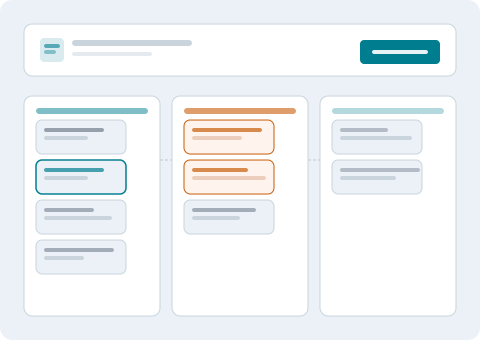
Structured data review environment
The review environment is the primary interface through which users interact with classified information. It presents records in an ordered list by default, with sorting and filtering controls that let users narrow the view by category, date range, review status, or keyword.
Each record in the list can be expanded to show its full detail view, including classification metadata, source information, and any annotations added during the review process. The display adapts to different screen sizes so users can work from desktop or mobile without losing access to key controls.
- Filterable, sortable record list with category-aware grouping
- Detail panel with classification metadata and annotations
- Responsive layout for desktop and mobile review workflows
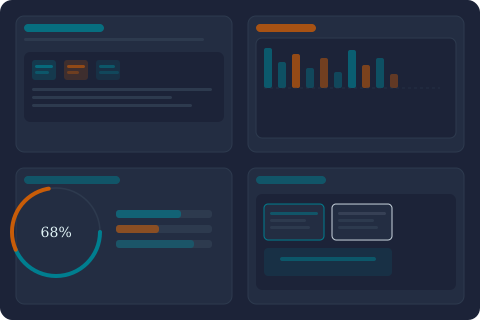
AI-enabled pattern recognition
The classification layer uses AI-enabled analysis to identify patterns in incoming information that assist with category assignment. This allows the system to handle a wider range of content types than a purely rule-based approach would support, and to improve its accuracy over time as it processes more records from a given user's data set.
The AI component assists the classification process — it does not make decisions that have consequences outside the platform. Its role is to support the accuracy and consistency of the category labels applied to records within the review interface.
- Pattern-based category suggestion for ambiguous records
- Confidence indicators shown alongside AI-assisted classifications
- Human review recommended for low-confidence assignments
User support and enquiry management
The support function handles enquiries about the platform, assists with access setup, and responds to questions about specific records or classification outcomes. Users can reach the support team through the contact form on the Connect page.
The team manages access requests, provides guidance on how to use the review interface effectively, and coordinates reclassification when users identify errors. Response times depend on the nature and volume of enquiries; the team does not commit to fixed turnaround times.
- Access request review and setup coordination
- Interface guidance and onboarding assistance
- Reclassification requests and error reporting

How access to the review tools is arranged
Gaining access to the Tunebansia interface follows a structured process. Understanding each step helps set realistic expectations.
Describe your needs
Complete the enquiry form on the Connect page. Describe the type of information you need to organise and your intended use of the review interface.
Initial assessment
The support team reviews your enquiry. They may contact you to clarify requirements or ask for additional context about your information management situation.
Category configuration
If your request proceeds, the team configures the classification taxonomy and interface settings appropriate for your use case before granting access.
Activate your workspace
You receive access details and a brief orientation to the review interface. From this point, you can begin working with classified information in the Tunebansia environment.
Questions about these capabilities?
The Tunebansia support team is available to clarify any aspect of the platform's features before you decide whether to submit an access request.